

Organization overview - name, logo and admins
The Overview tab shows who your organization is: its name, logo, owner and admins. You can rename the organization and, on Business, upload a logo that replaces the Worklenz one in the navigation bar.
At a glance
| What it is | Organization profile, admin list and audit log retention |
| Where to find it | Profile picture > Admin Center > Overview |
| Who can use it | Owners and Admins (retention card: Owner only) |
| Plan | All plans. Logo upload needs Business |
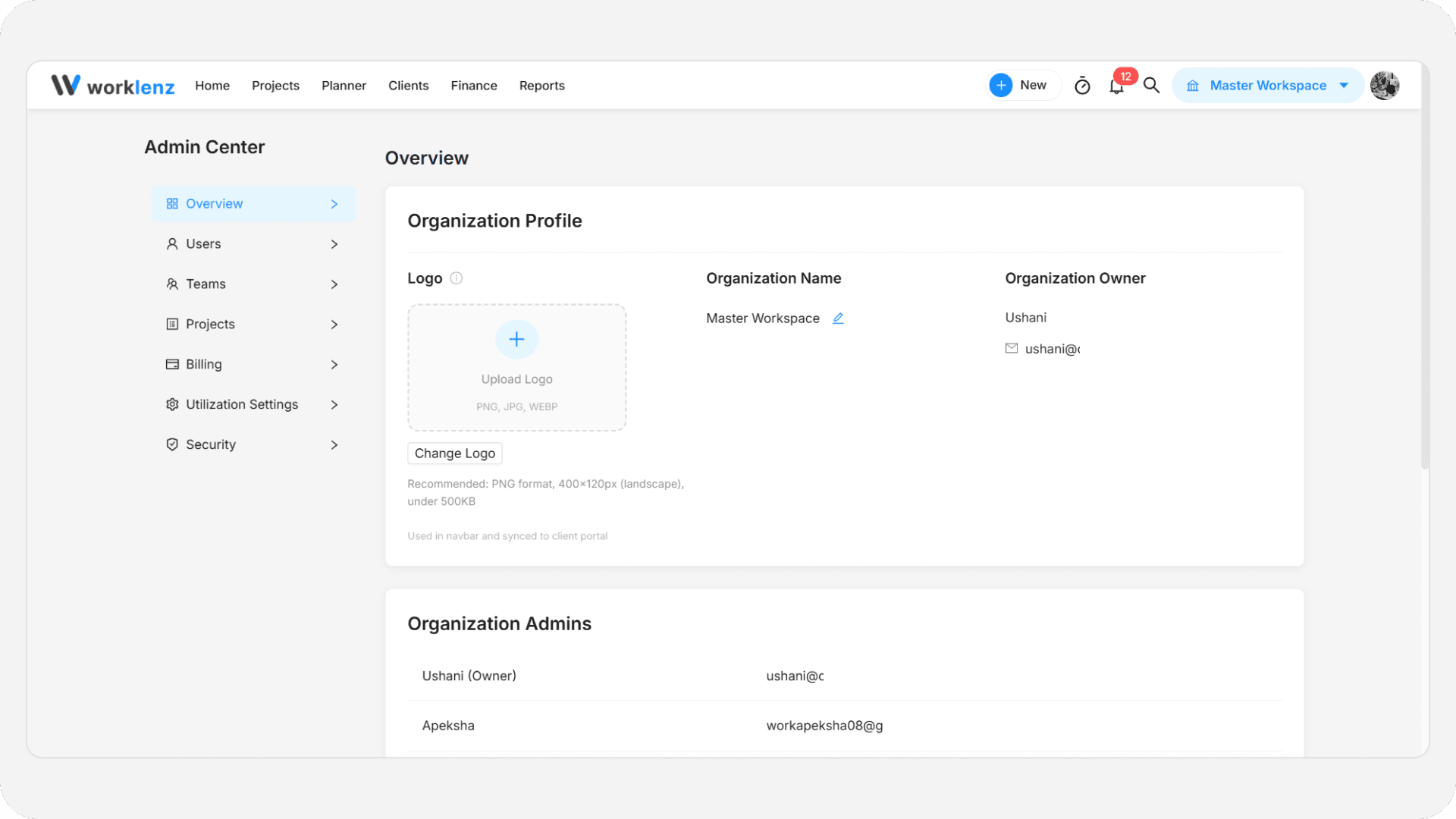
How do I rename the organization?
- Click the pencil icon next to Organization Name.
- Type the new name, up to 100 characters.
- Press Enter, click the arrow button, or click away. Press Esc to cancel.
A blank name is ignored and the old one stays. No confirmation message appears. The change is recorded in the audit log. Organization Owner shows the owner’s name and email and cannot be edited here.
How do I upload a logo?
- Click Upload Logo, or Change Logo if one exists.
- Choose a PNG, JPG or WEBP file.
- Wait for “Logo uploaded successfully”.
To remove it, click Remove Logo and confirm. The logo appears in the top navigation bar and is also used in your client portal for every team, so changing it changes both.
| Rule | Detail |
|---|---|
| File types | PNG, JPG, JPEG, WEBP |
| Largest file | 5 MB (blocked above this) |
| Smallest dimensions | 200 x 60 px |
| Largest dimensions | 800 x 240 px |
| Orientation | Landscape. Vertical logos are blocked |
| Recommended | PNG, 400 x 120 px, transparent background, under 500 KB (larger only warns) |
On Free and Pro the logo tile is locked with the tooltip “Available on paid plans” and an Upgrade Now prompt. The prompt says Business. Treat Business as the requirement.
Who are the organization admins?
The Organization Admins card lists each admin’s name and email, with “(Owner)” after the owner. It is read-only. To promote or demote someone, use the Settings drawer on the Teams tab.
How long is the audit log kept?
Only the Owner sees the Audit log retention card. Choose 3, 6, 12 or 24 months; 12 is the default. Shortening asks you to confirm because older entries are purged for good at the next cleanup. Admins see the value on the Audit Log page as read-only. More in security and audit log.
Best practices
- Upload a landscape PNG near 400 x 120 px, because narrow or vertical logos are blocked and small ones look blurry in the bar.
- Check your client portal after changing the logo, because the same file replaces the portal logo for all teams.
- Keep retention at 12 months or longer unless you have a reason, because shortening deletes entries that cannot be recovered.