

Software project
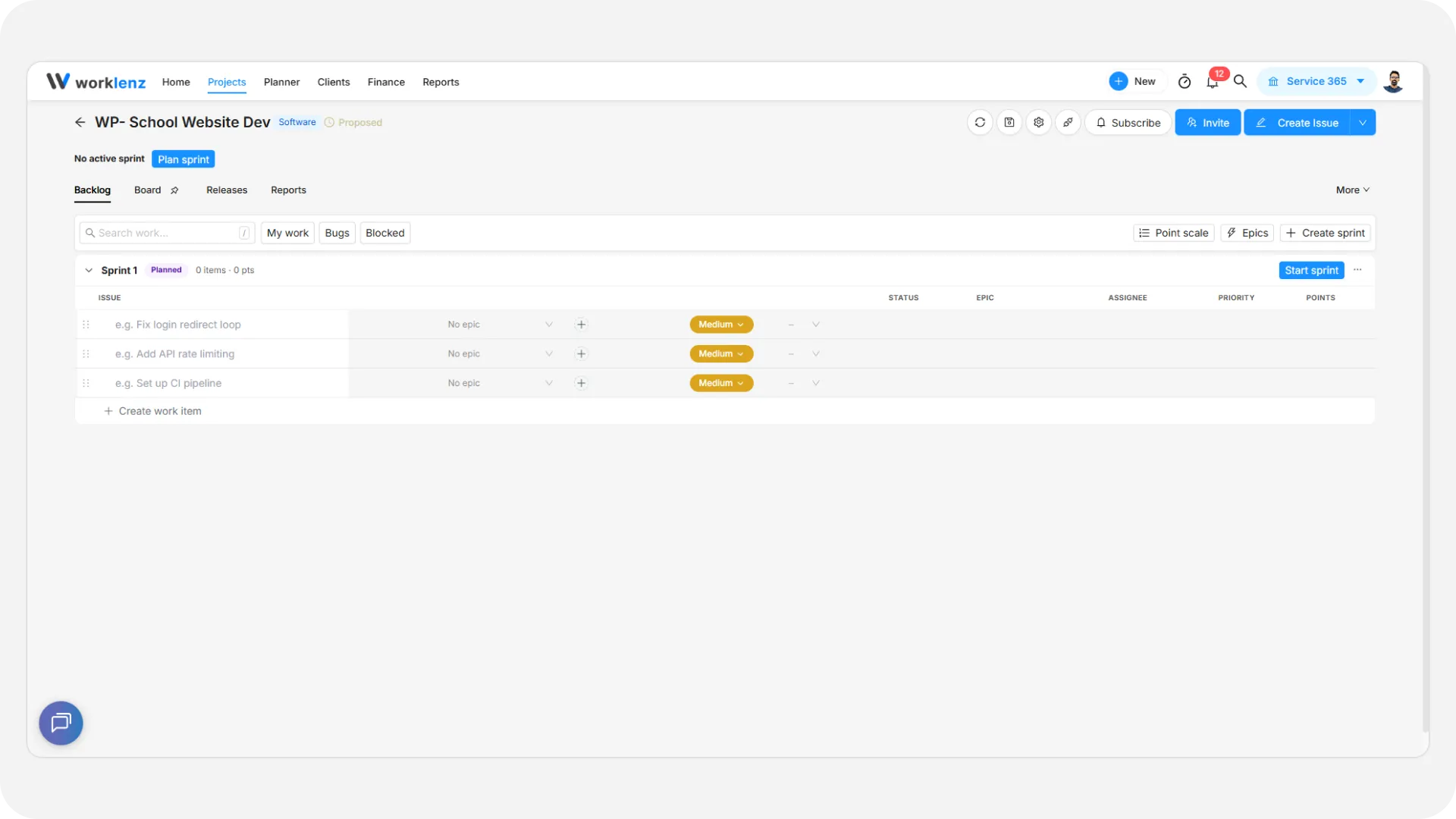
A software project is a Worklenz project type built for teams that ship in iterations. Instead of tasks and phases, you work with issues, a backlog and sprints. You plan work in the backlog, pull it into a sprint, and track it on a board. It suits product and engineering teams.
At a glance
| What it is | A project type with issues, a backlog, sprints, epics, story points and releases |
| Where to find it | Choose Software in the Project type field when you create a project |
| Who can create one | Workspace Owners and Admins |
| Who can use one | Members work with issues; Owners, Admins and Project Managers manage sprints and epics; Guests can view |
| Plan | No software-specific plan requirement. The Free plan allows up to 3 projects |
How is a software project different from a general project?
Both types live in the same workspace and show up in the same project list. The difference is in the vocabulary, the default setup and the tabs.
| General project | Software project | |
|---|---|---|
| Work item name | Task | Issue |
| Time-boxed groups | Phase | Sprint |
| Work not yet planned | Unmapped | Backlog |
| Default statuses | To Do, Doing, Done | Backlog, Todo, In Progress, In Review, Done, Blocked |
| Main tabs | Task list, Board and others | Backlog, Board, Releases, Reports |
| Under the More menu | - | List, Roadmap, Insights, Files, Members, Updates |
| Hidden tabs | - | Finance, Workload |
| Create from a template | Yes | No, software projects start blank |
| Issue types | - | Task, Story, Bug, Subtask, Epic |
A Software tag appears in the project header so you can tell the two apart at a glance.
Who can use software projects?
Only an Owner or Admin can create the project. After that, what each person sees depends on their role. See member access levels for the workspace-wide roles.
| Role | What they can do |
|---|---|
| Owner and Admin | Everything, including project settings and deleting the project |
| Project Manager | Create and run sprints, manage epics and releases, change the point scale |
| Member | Create, edit and move issues, set story points, flag blocked work, comment, view reports |
| Guest | View only. Guests do not see the Reports tab, and see no Insights, Files, Updates or Finance tabs |
More detail is in software project permissions and plans.
Is there a plan requirement?
No. Sprints, epics, releases and reports are not tied to a plan. The one limit to remember is the Free plan limit of 3 projects, which counts software projects like any other project. Some tabs that exist on every project, such as Insights and Roadmap, are locked on the Free plan, and these two are locked in software projects too. Exporting tasks needs the Business plan. If you are unsure which plan you are on, see upgrading your plan.
What are the limitations?
- You cannot convert a general project into a software project, or the other way around.
- Software projects start blank. Project templates and CSV import are not offered when you create one.
- There is no Jira import. You can import GitHub issues; see GitHub for software projects.
- Epics can be archived but not deleted.
- Task export omits story points, issue type, epic and release.
- Finance and Workload are not available on software projects.
Where do I go next?
| If you want to… | Read |
|---|---|
| Create the project | Create a software project |
| Add and organize issues | Backlog and issues |
| Plan and run iterations | Sprints |
| Track work day to day | Software board |
| Group work into larger goals | Epics |
| Size work | Story points and estimation |
| Ship versions | Releases |
| See progress and trends | Software reports |
| Configure the project | Software project settings |
| Link code activity | GitHub for software projects |
| Fix a problem | Troubleshooting and FAQ |
Example: a four-person team’s first week
Maya, a workspace Admin, creates a software project called “Mobile App” with the key MOB. Worklenz opens it on the Backlog tab with an empty planned sprint named Sprint 1.
Over the first morning the team adds about twenty issues straight into the backlog. Dev, the Project Manager, groups them under two epics, “Onboarding” and “Payments”, and gives each issue a story point estimate. On Monday Dev drags the top eight issues into Sprint 1, sets the sprint dates and clicks Start sprint. From then on the team works from the Board, which opens filtered to the active sprint. Two weeks later Dev completes the sprint, and anything unfinished moves to Sprint 2.
Best practices
- Decide on General or Software before you click Create, because the project type is permanent.
- Plan to bring existing work in by hand or through GitHub import, because software projects start blank with no templates or CSV import, and there is no Jira import.
- Give the people who run planning the Project Manager role, because Project Managers can manage sprints, epics, releases and the point scale without being Owners or Admins.
- Count software projects toward your plan limit, because the Free plan limit of 3 projects applies to them like any other project.