

Roadmap
What is the Roadmap?
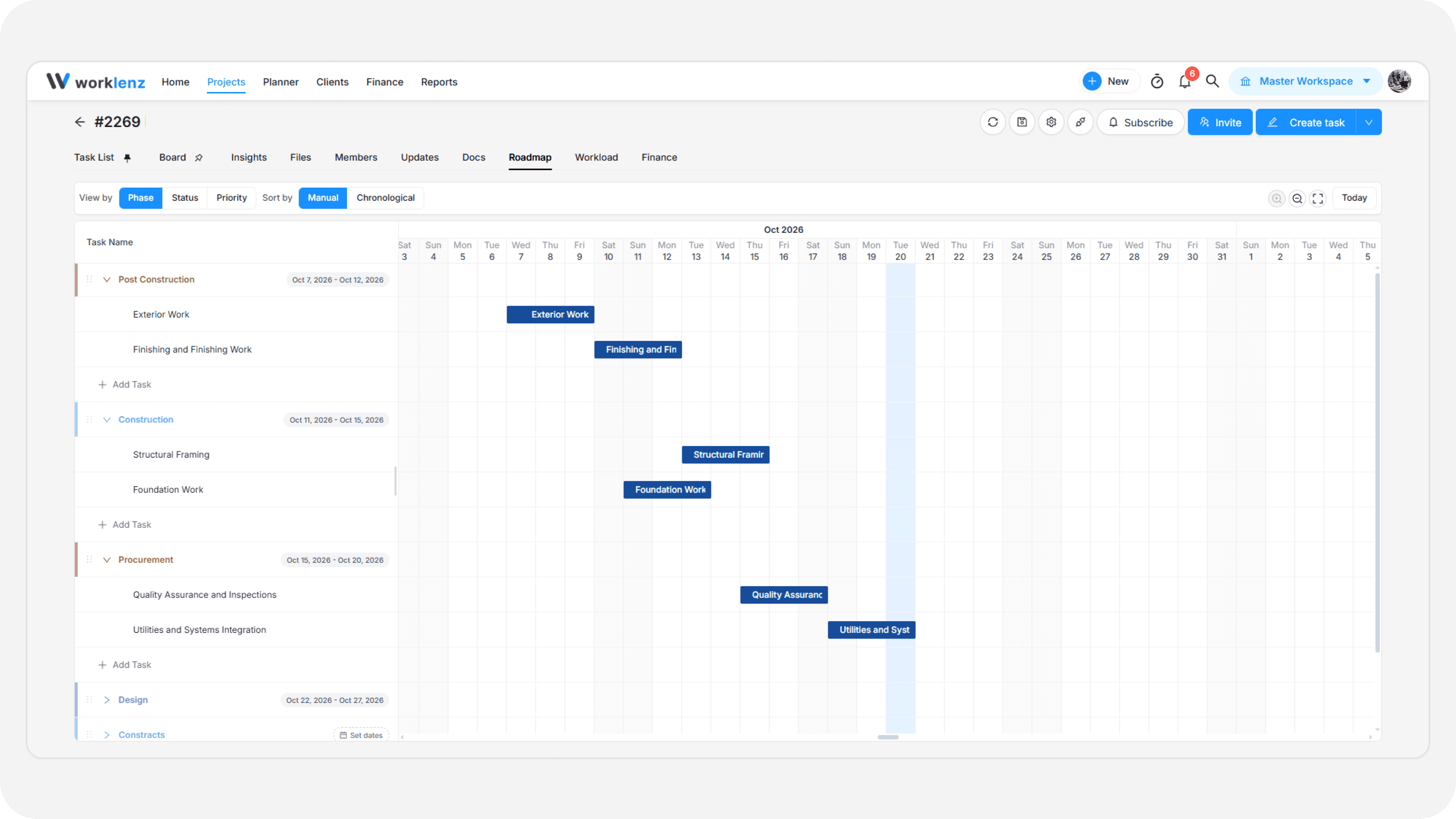
Worklenz Roadmap is the simple Time frame. using this we have to easily plane our entier works.
- First, go to the Roadmap tab inside your project.
- Use the grouping buttons at the top left to organize tasks by Phase, Status, or Priority.
- For unscheduled tasks, click the + Set Task Dates button in the timeline to set start and due dates.
- Each scheduled task appears as an adjustable bar that you can drag to easily change dates and durations.
- You can also set task dependencies to define the order of work.
See what is blocking a task
If a task has a Blocked by dependency, it now shows on the Roadmap as well as in the task list. You no longer need to switch back to the list to check the order of work.
Tips
- Set start and due dates before relying on the Roadmap, because only scheduled tasks appear as bars.
- Add Blocked by dependencies for tasks that cannot start early, so the order of work is visible on the timeline.