Log time
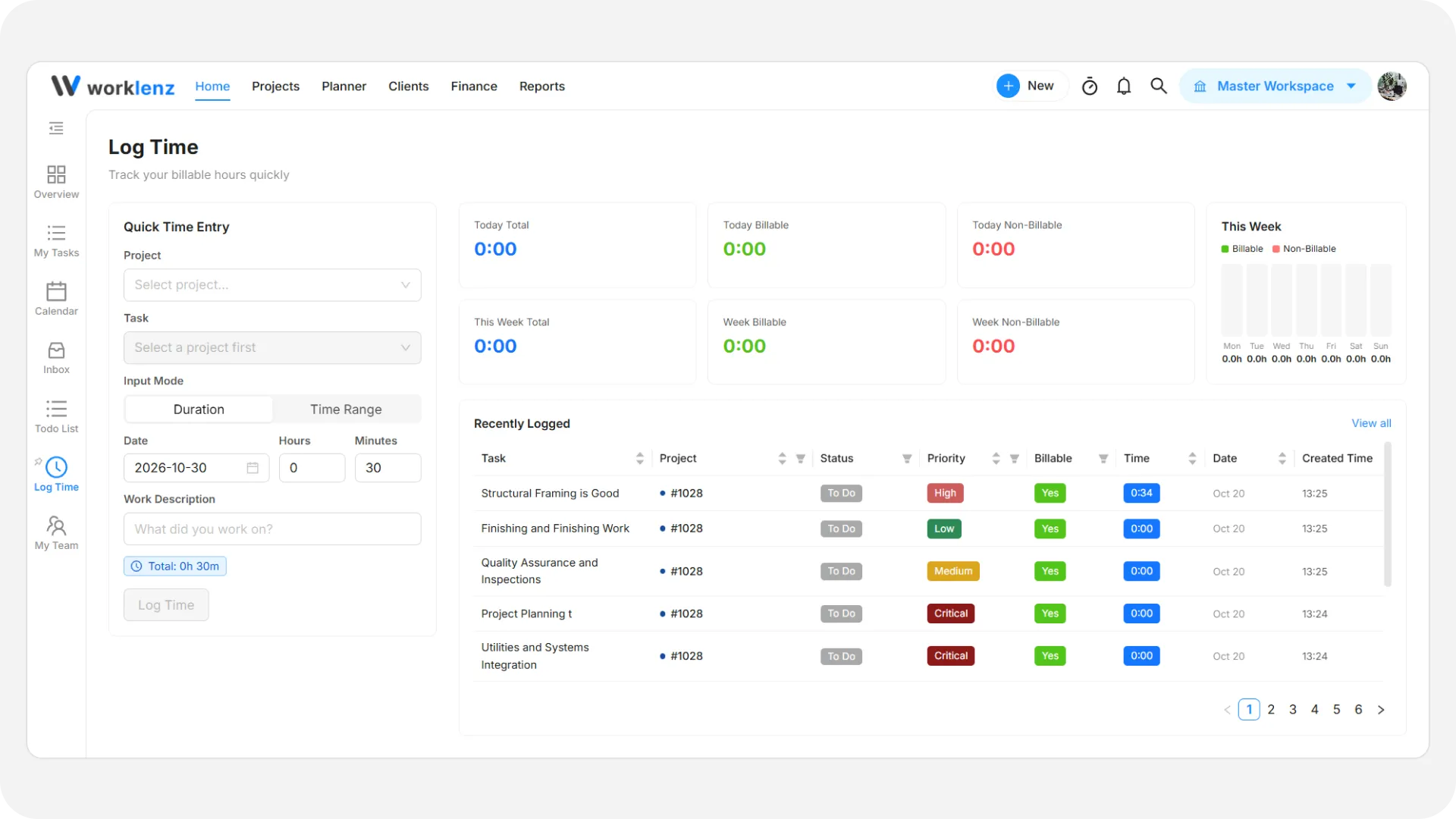
The Log time page lets you manually record work hours and track your daily or weekly focus time.
Quick time entry
- Select Project & Task: Choose the project and specific task you worked on.
- Input Mode: Choose between:
- Duration: Enter total hours and minutes worked.
- Time Range: Specify a start time and end time.
- Date & Description: Set the entry date, describe what you worked on, and click Log Time.
Time metrics & summary
- Daily & Weekly Totals: Track Total, Billable, and Non-Billable hours for today and the current week.
- Weekly Bar Chart: A day-by-day visual comparison of billable vs. non-billable time.
Recently logged
- Review past time logs showing task name, project, status, priority, billable status, duration, and date.