

Team hierarchy
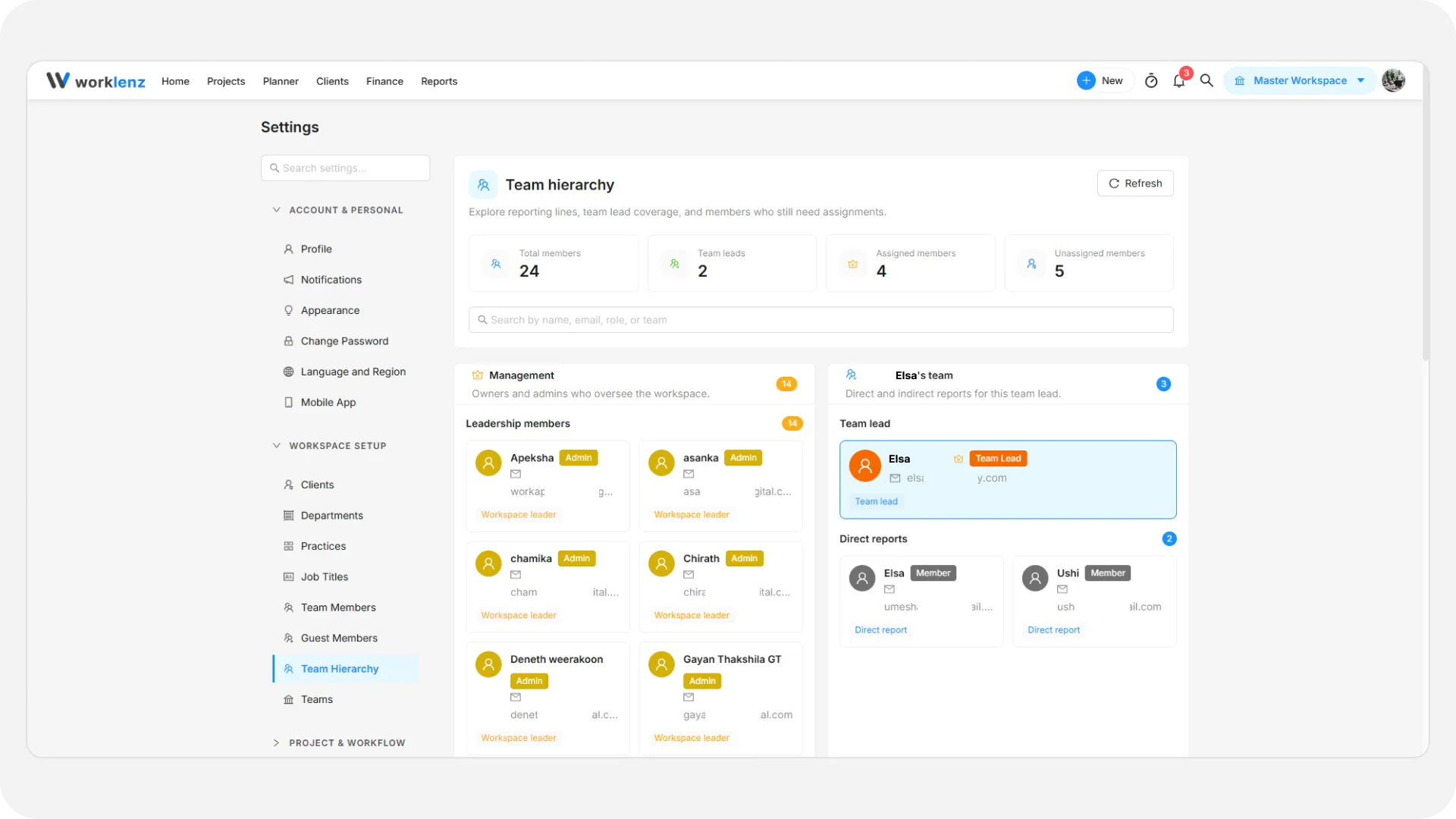
Team hierarchy is a read-only chart of who reports to whom. It is built from the Team Lead you assign to each member, so you change the chart by changing those assignments, not by editing the page. See member access levels for roles.
How to open team hierarchy
- Open the avatar menu and choose Settings.
- Under Workspace Setup, select Team Hierarchy.
The page shows tiles for Total members, Team leads, Assigned members and Unassigned members, a search box, and sections for Management, each team lead’s team, and unassigned members. Owners and Admins can use it.
How to change what it shows
- Open Team Members in Settings.
- Use Edit member to set the Manager to a Team Lead, or select several members and use Assign Team Lead.
For every badge and section, see the full guide to the Team Hierarchy page. For member actions, see managing team members.
Best practices
- Check the Unassigned members tile after adding people, because anyone without a Team Lead sits outside every team.
- Treat the page as a check, because it cannot change assignments itself.