

How to log time manually
In Worklenz, you can log custom time entries manually, rather than using the real-time timer. This is useful when you need to record time for work that has already been completed.
To add a time log manually:
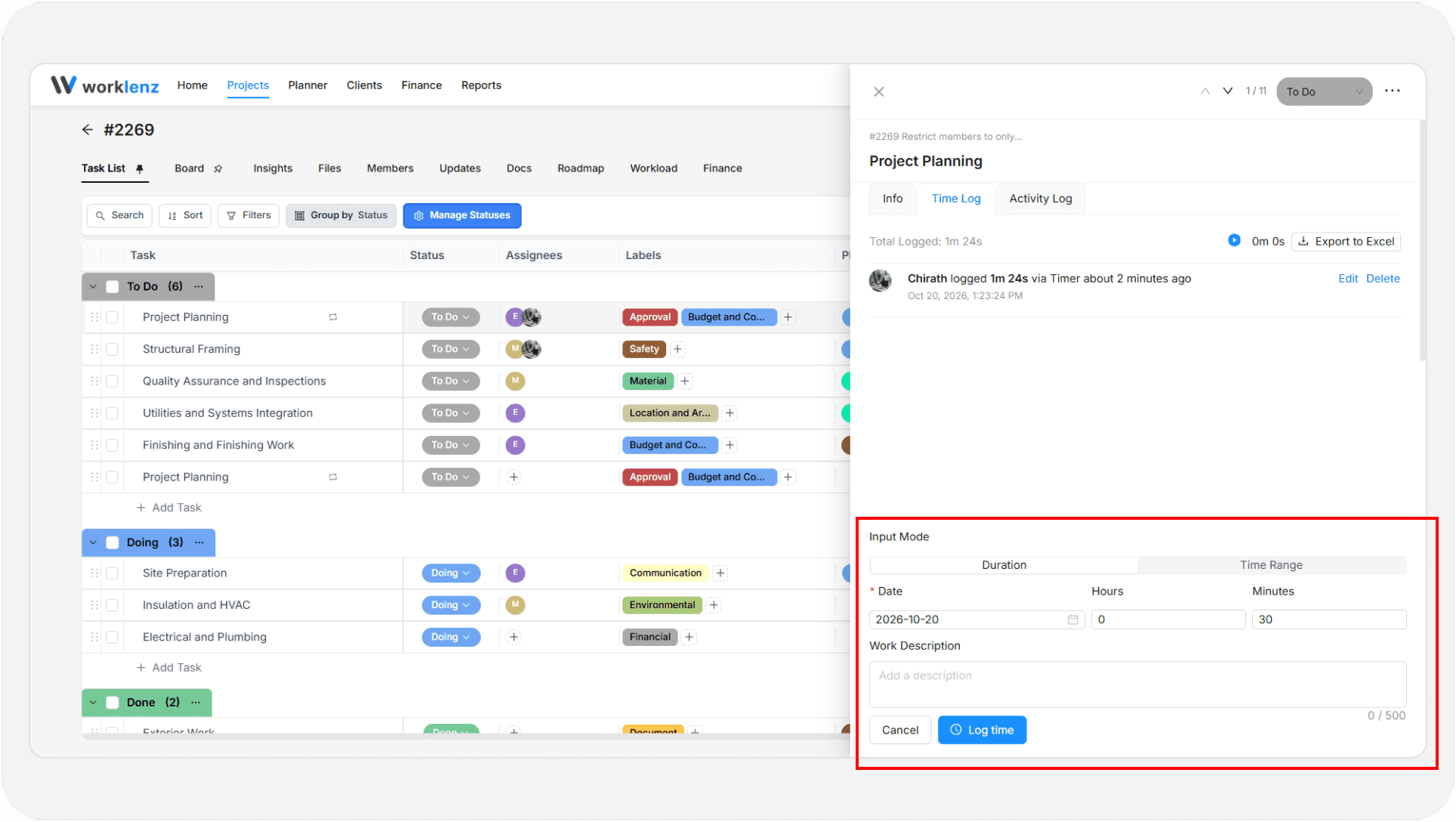
- Open the task drawer by clicking a task in the task list.
- Navigate to the Time Log tab section.
- Click the Add New Time Log button at the bottom of the drawer.
- Enter your preferred time and description.
- Click the Log Time button to save the entry. The time will be logged to the task.
Time cannot be logged before the project start date
If the project has a start date, you cannot log time before it. The time log form shows “Project start date” as a hint, and Worklenz refuses earlier dates with “Time cannot be logged before the project start date”. If the project has not started yet you will see “Project has not started yet”.
Change the date you are logging, or ask a project manager to adjust the project’s start date if it is wrong.