

Add/invite new member to team
To invite new members to your team, click the Invite button on the top navigation bar. You will have two options to invite members:
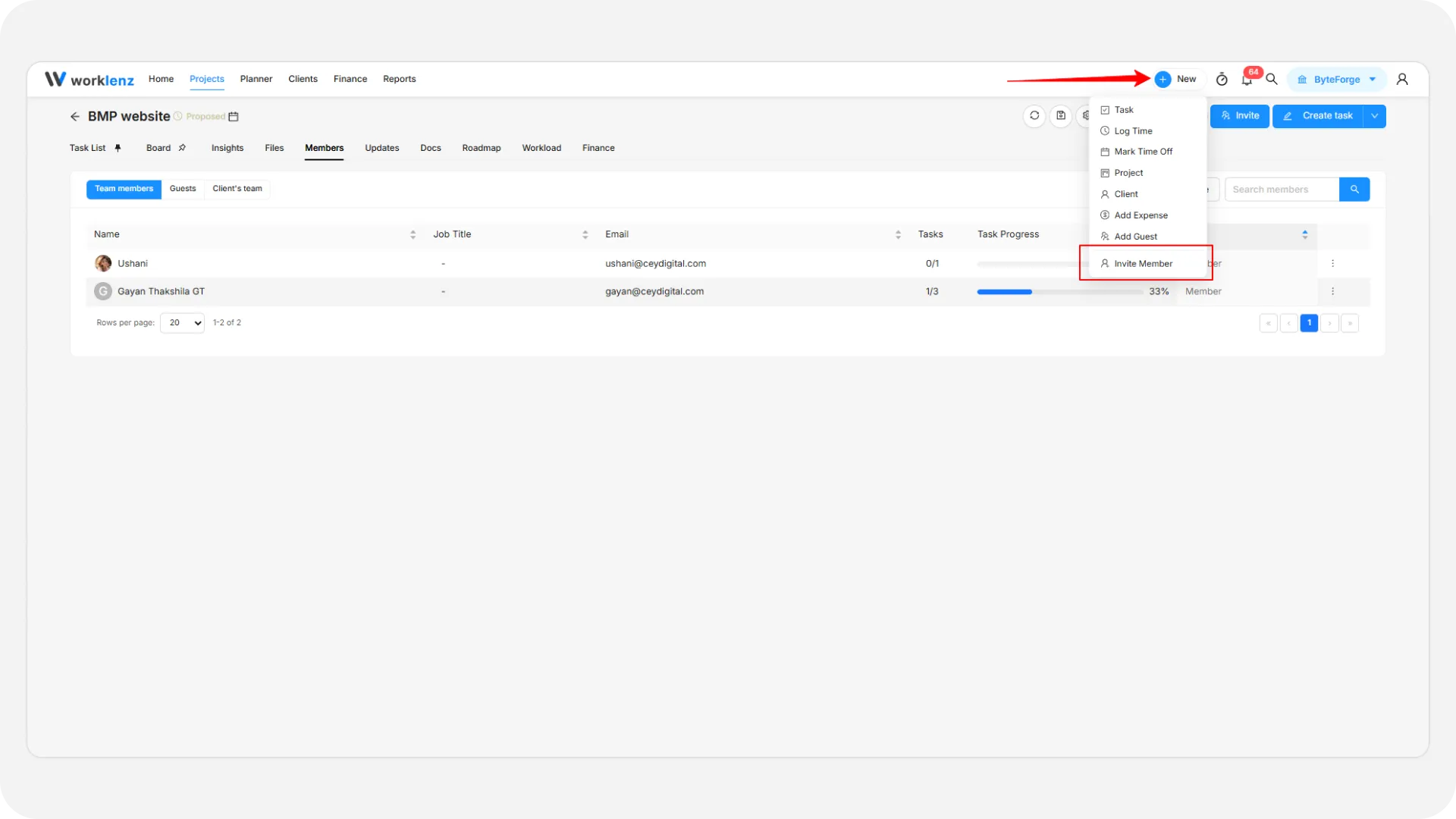
Invite with email
- Click the Invite with Email option.
- Add one or more email addresses of the members you want to invite.
- Set the access level for each member (Member, Admin, or Team Lead).
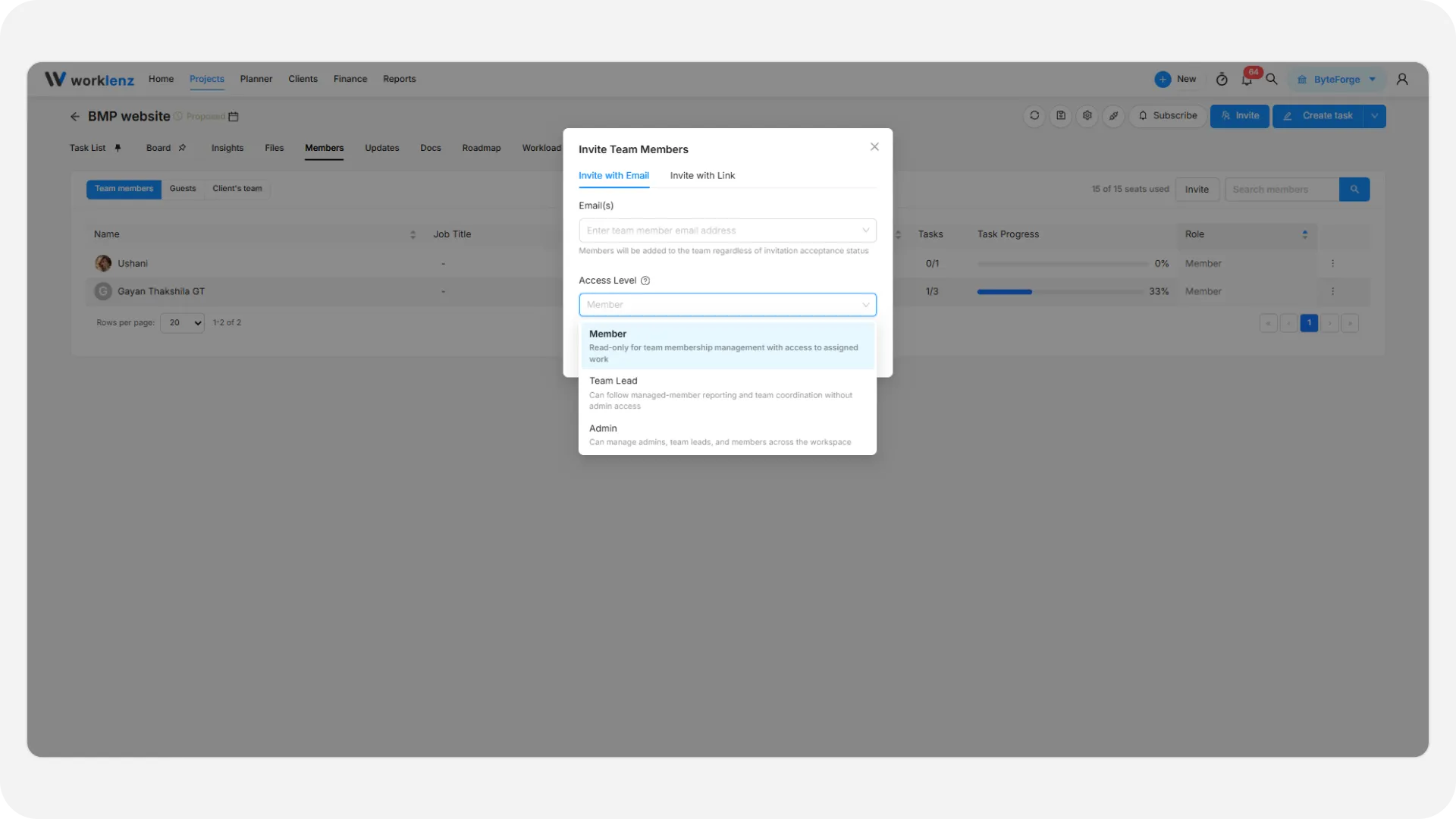
- Click Send Invitation.
- Invited members will receive an invitation email and can join the team by completing the sign-up process.
Invite with link
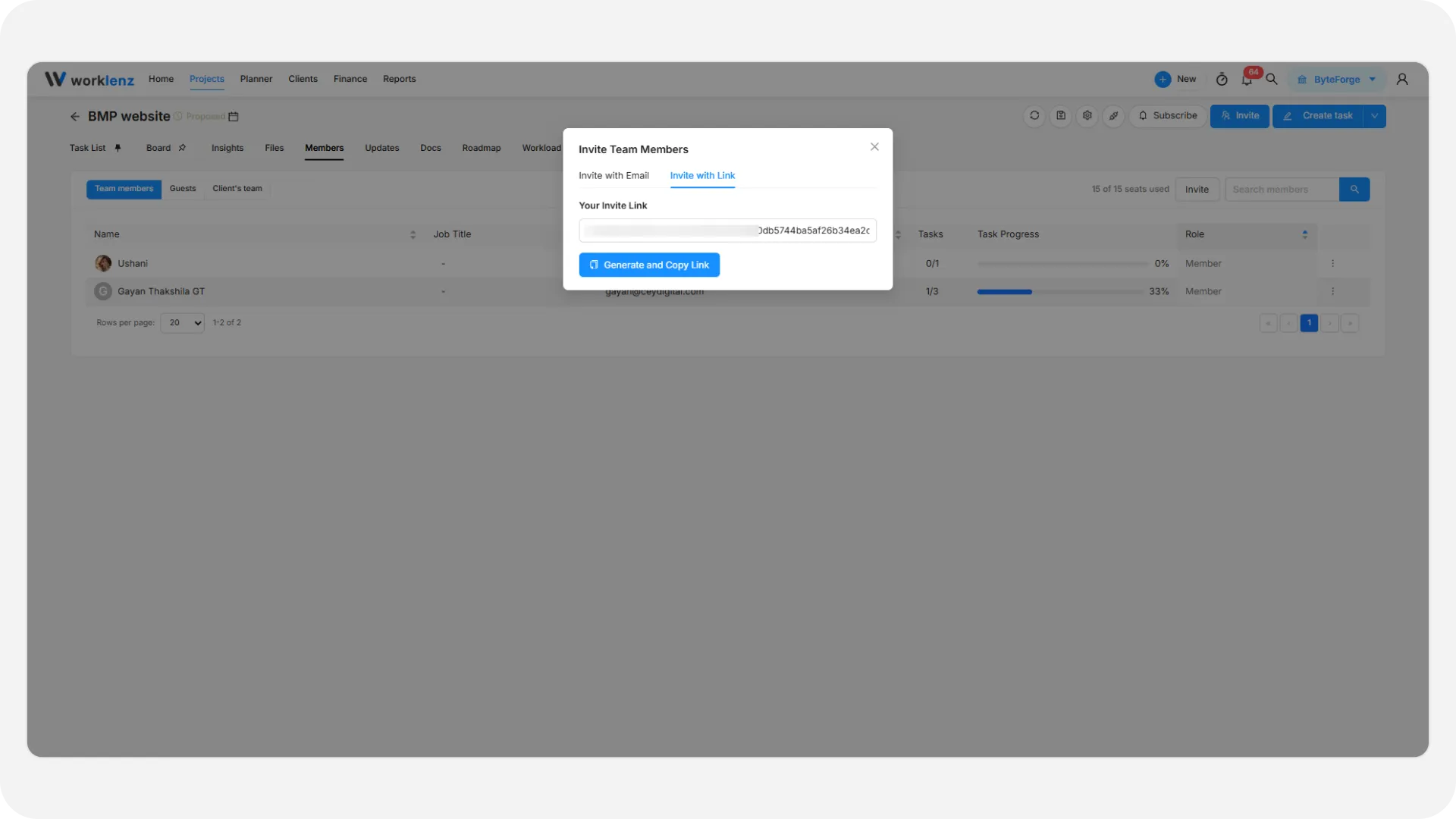
- Click the Invite with Link option.
- Click Generate and Copy Link. The link is created and copied; click Copy Link to copy it again.
- Share it with others through any preferred method (email, messaging apps, etc.).
- The link works for any number of people and expires after 7 days. Click Deactivate Link to stop it earlier.
- Anyone with the link can join the team by signing up if they don’t have a Worklenz account, or by signing in with their existing Worklenz account.
Note: Members will be added to the currently active team, which is shown on the top menu bar on the right side. The active team is marked with a green check mark in the team dropdown.
You can also add members to your team via Settings > Team Members. See Create new team/workspace for more details.