Phase configuration
Beyond naming and coloring phases, Worklenz lets you assign an owner to each phase and set its start and end dates.
Phase owner
A phase owner (default assignee) is the person who gets automatically assigned to any task that is moved into that phase.
Phase Assignees is disabled by default for every project, so the phase owner option is hidden until you turn it on.
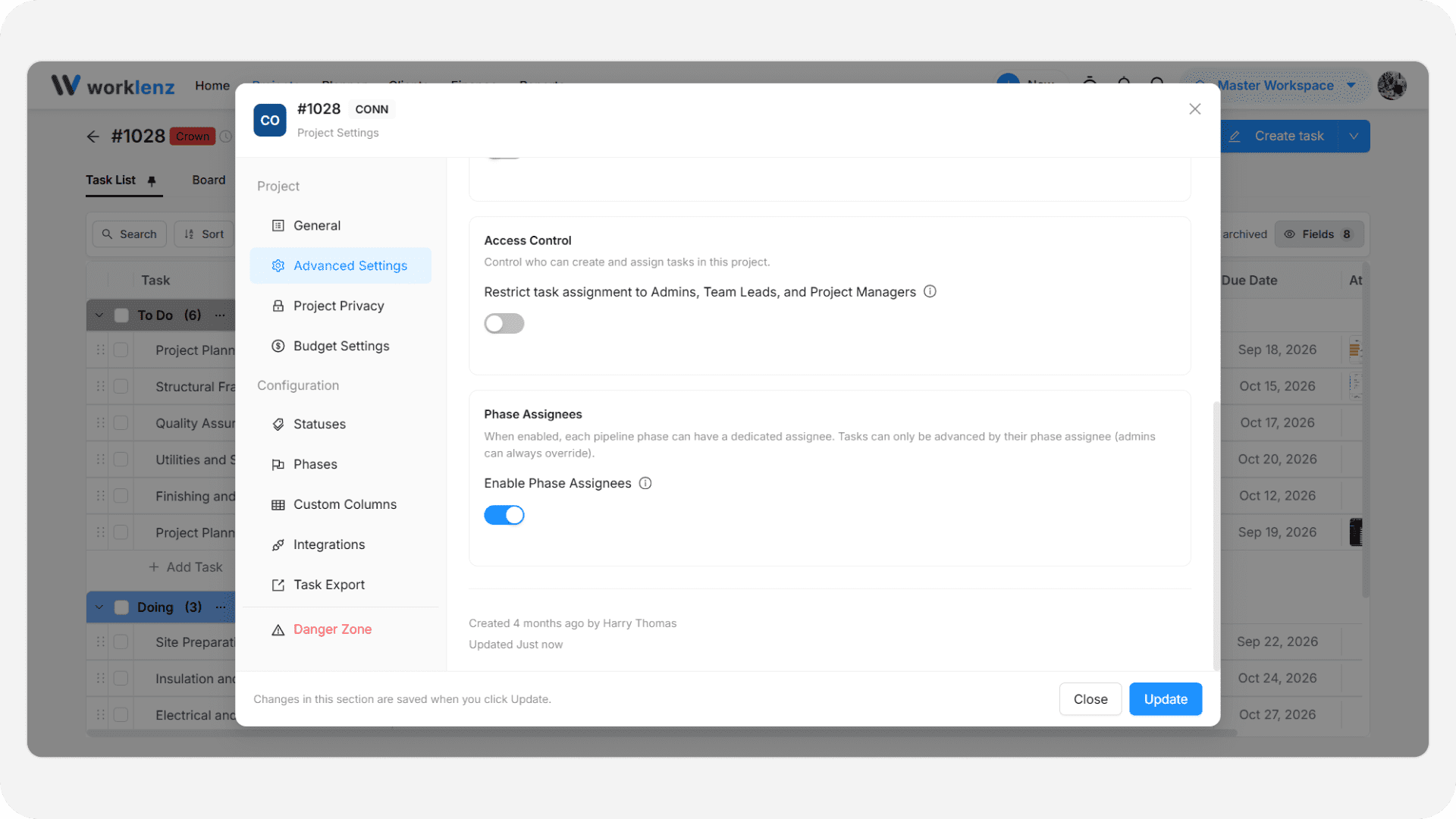
- Open the project and go to Settings > Advanced Settings.
- Find the Phase Assignees section and turn on Enable Phase Assignees.
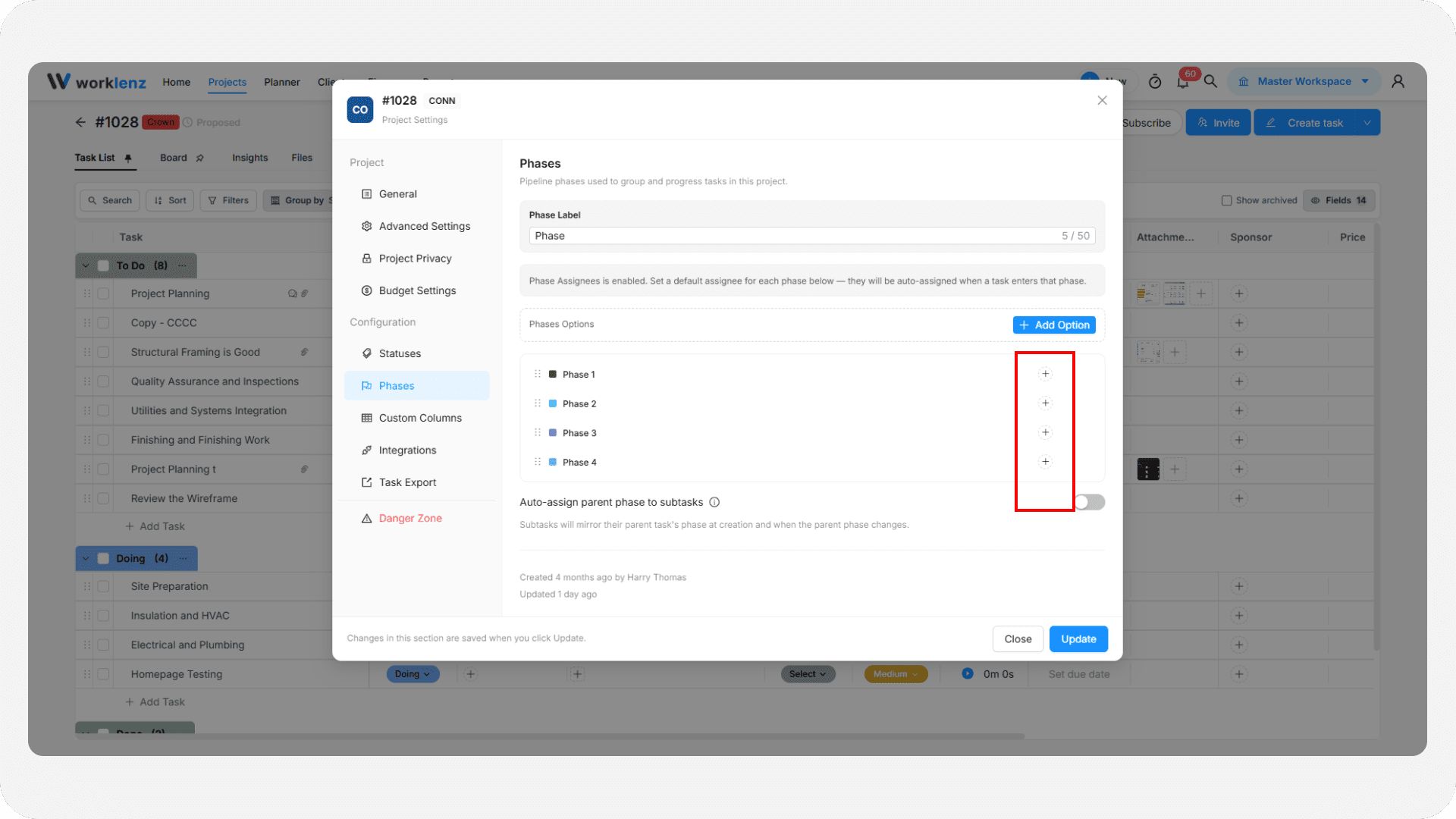
- Go to Settings > Phases. Each phase row now shows an avatar/+ icon - click it to open the member picker.
- Select a team member to set them as the owner (default assignee) for that phase.
- Click the icon again and deselect the member to remove the phase owner.
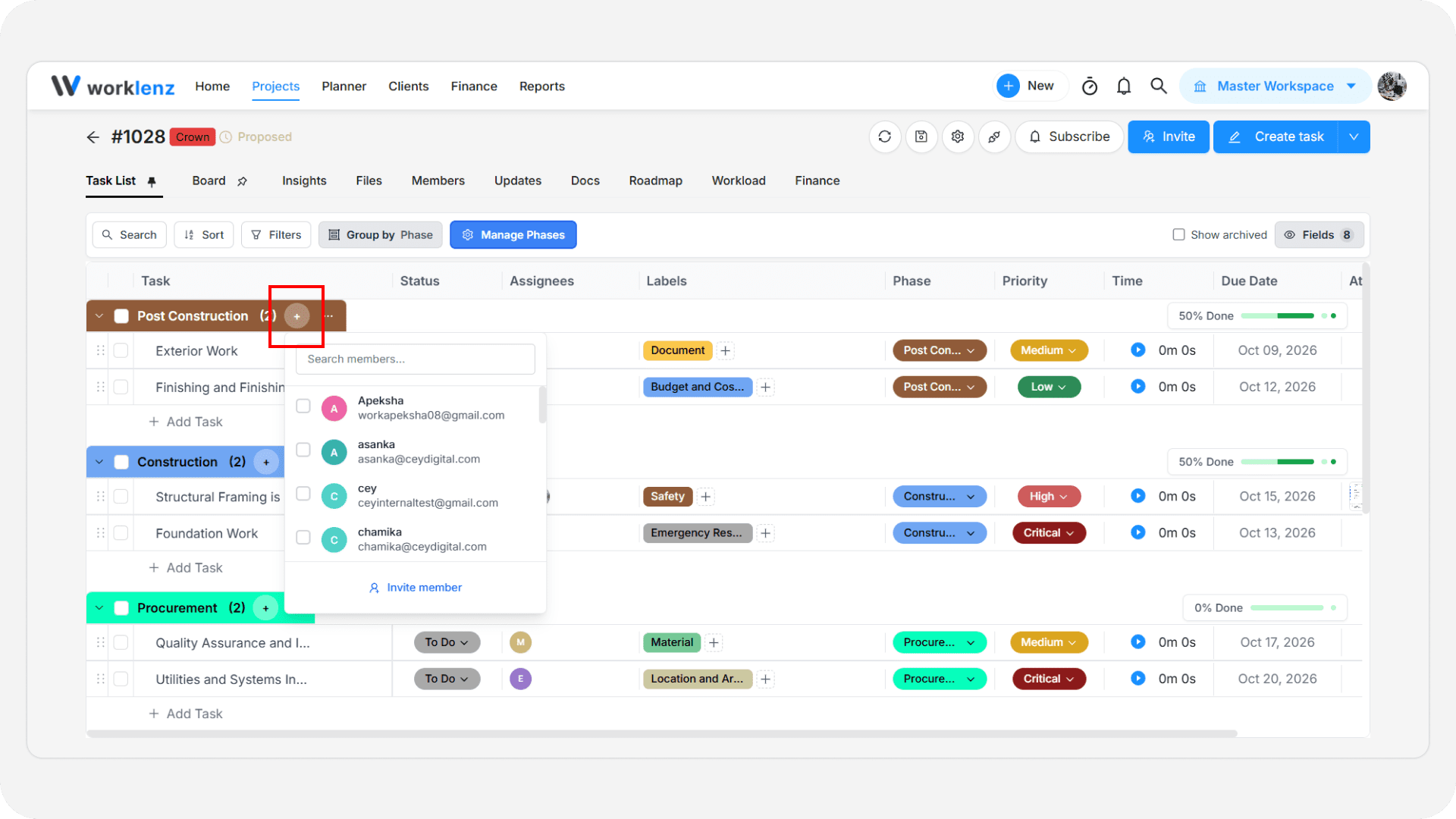
Once a phase has an owner, any task moved into that phase from the task list is assigned to them automatically.
Phase start and end dates
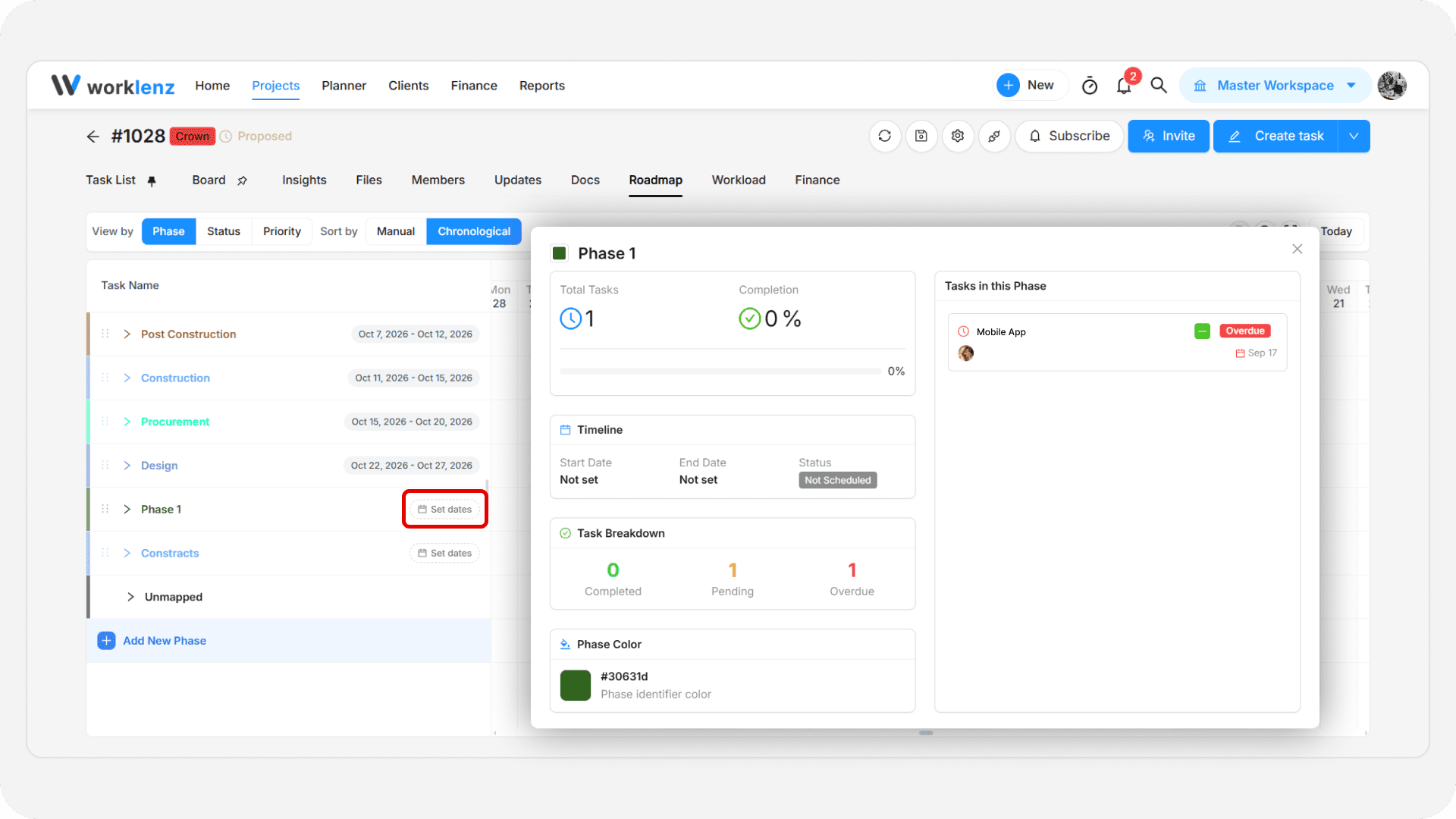
You can set a start and end date for each phase to track its timeline.
- For most projects, set phase dates from the Roadmap tab: select Group by phases, then use Add Phase (or the existing phase bar) to pick a start and end date.
- For software/sprint-type projects, phase dates can also be set directly in Settings > Phases, where each phase row includes a date range picker.